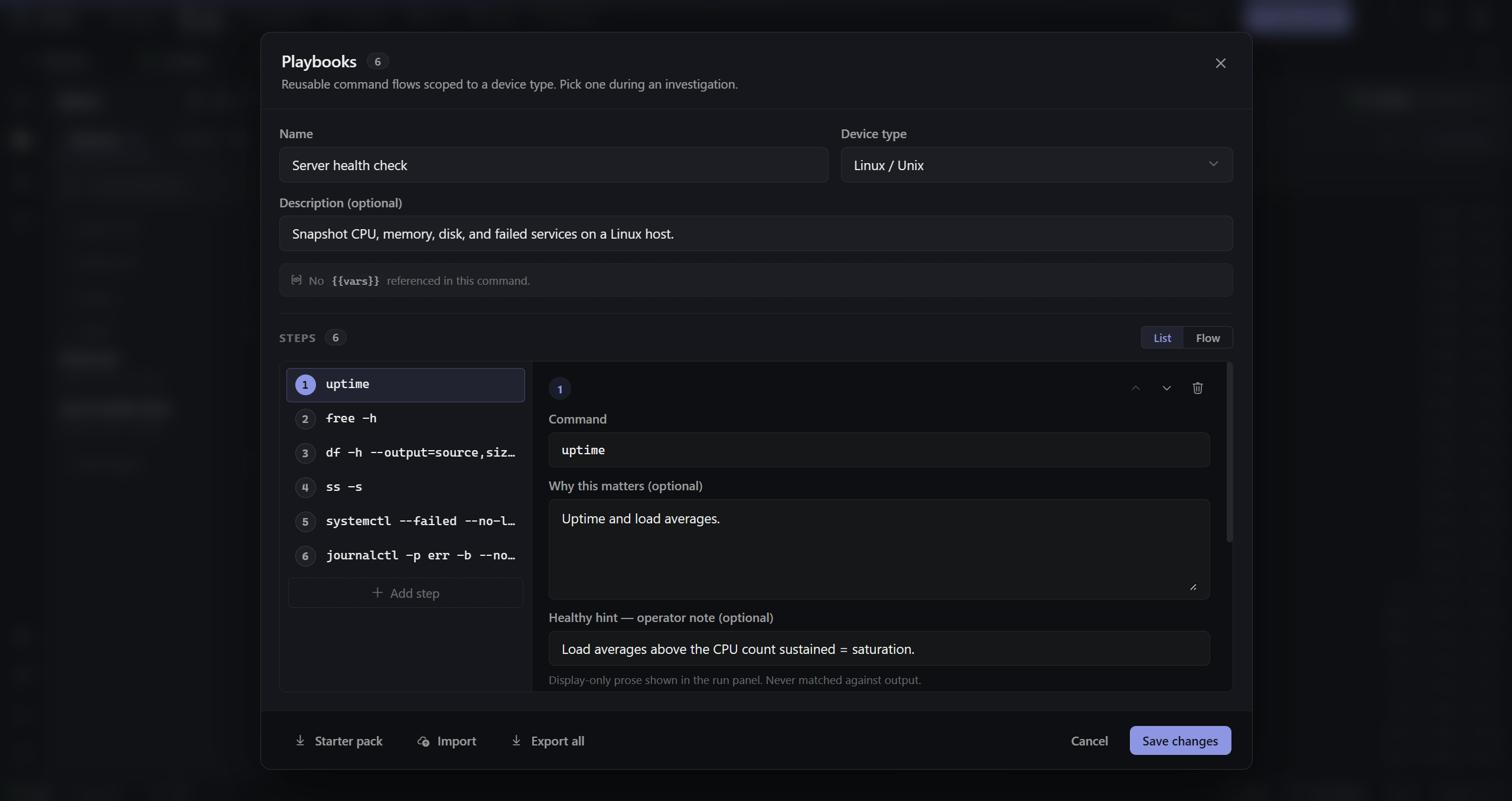
Author once. Run forever.
Scoped to a device type. Variables substituted at run time. Steps reorderable. Export and share with the team.
A native desktop terminal and connection manager for network and test engineers — every session in one window, one tab bar.
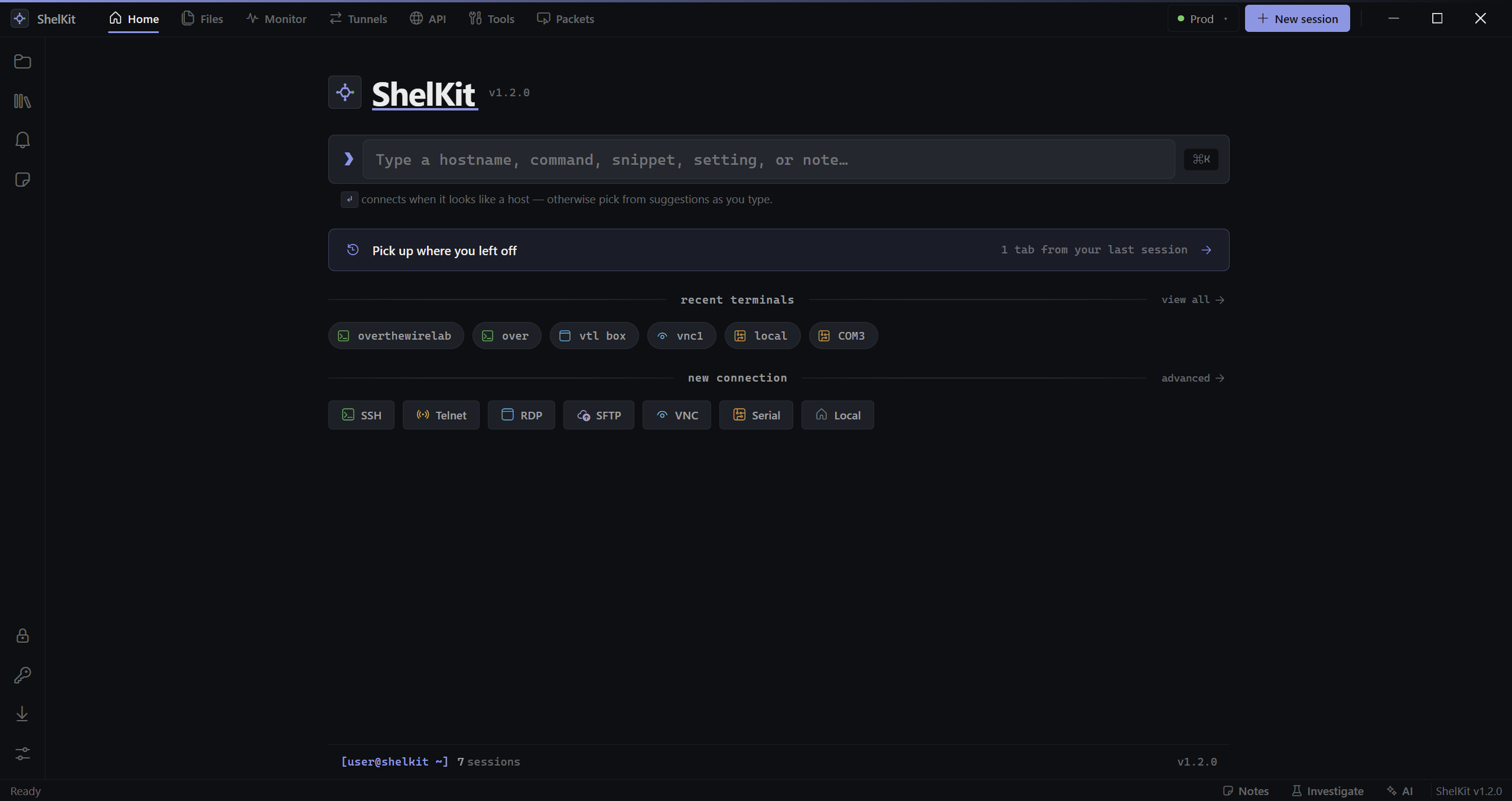
one app · seven protocols
Native, in-process, side by side in the same tab bar. No popping out to PuTTY, mstsc, or TigerVNC. No browser tabs. No SaaS.
russh-backed PTY with blocking host-key verification — halts on a changed key, audits every connect.
Raw TCP for lab gear and legacy routers. No negotiation gotchas, no surprise drops.
COM and /dev/tty enumeration, baud picker, console-recovery friendly for first-boot.
russh-sftp two-pane browser with a transfer queue and retry-on-disconnect.
IronRDP embed, in a tab beside your terminals — not a separate mstsc window to lose.
In-canvas viewer for KVM-over-IP and test-equipment GUIs. No third-party client.
PowerShell, cmd, bash, zsh — a local PTY in the same tab bar as your remote sessions.
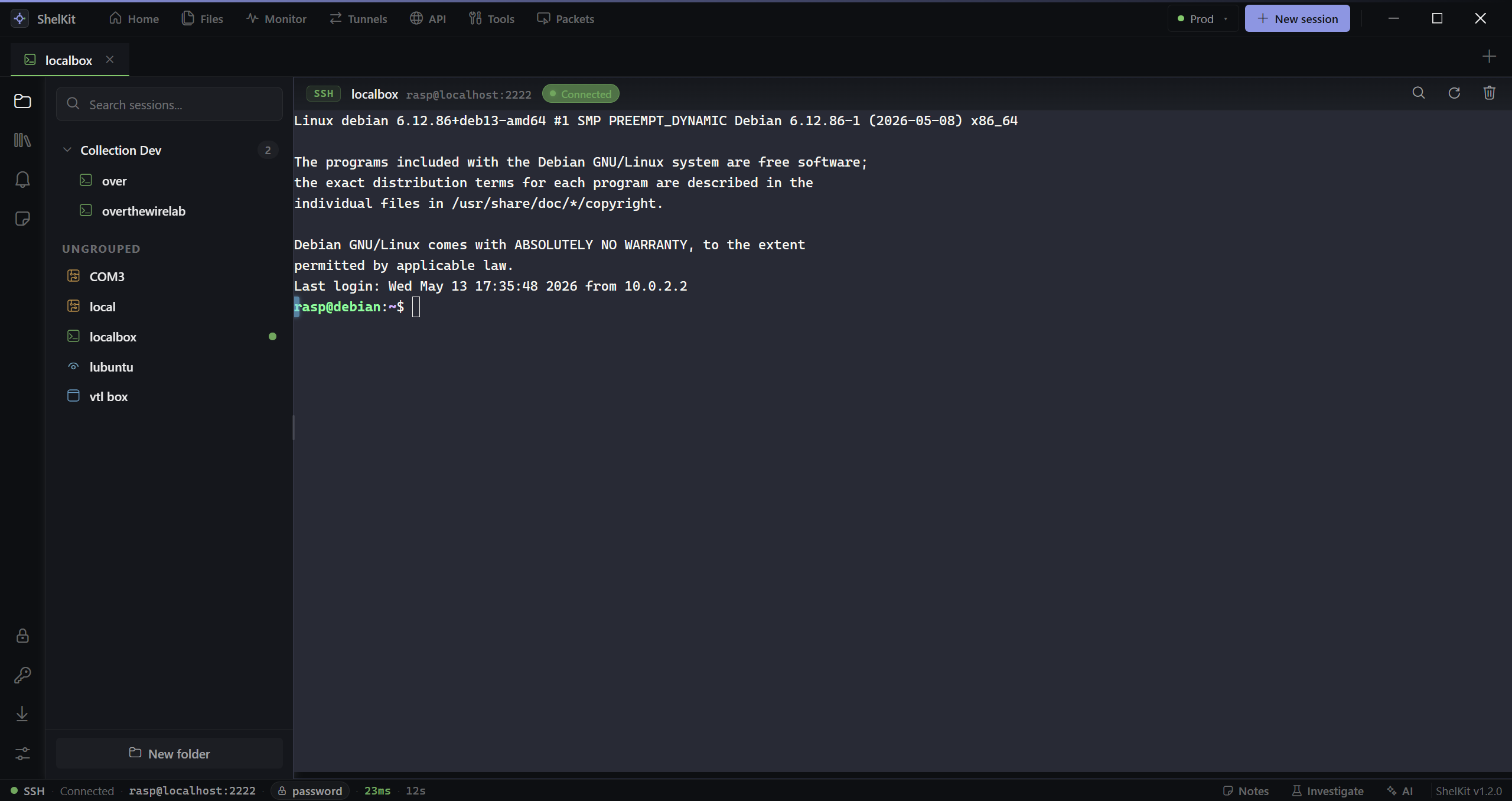
the AI assistant
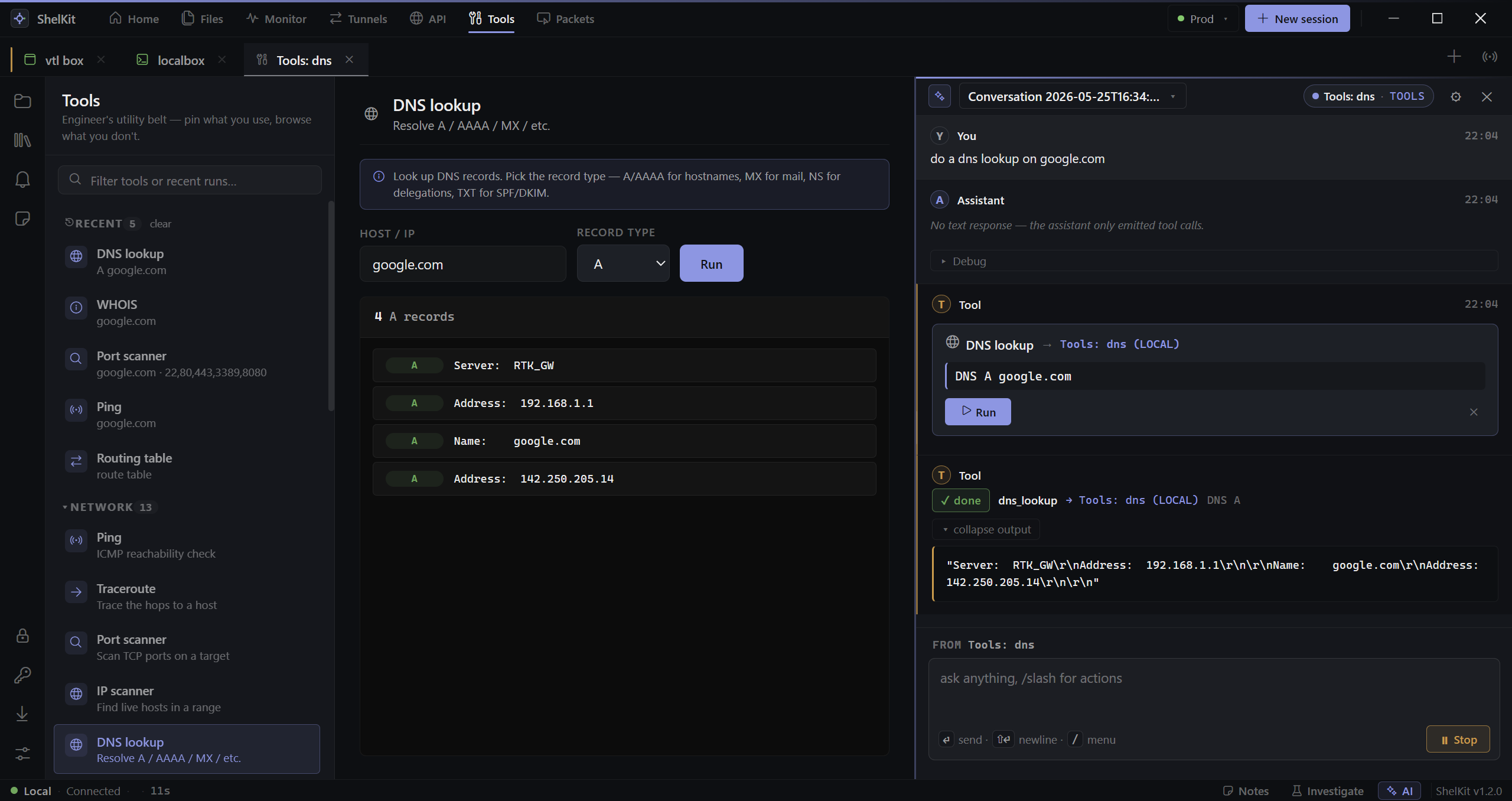
ShelKit's AI panel can read your terminal output, run a
command on a specific tab, diff two config snapshots, and
parse a show interface blob into a structured table —
and every side-effecting action surfaces a Run / Edit / Reject card first.
slash commands
/analyze-show interface on a Cisco IOS tab runs the command,
parses the output, and highlights anomalies. /gen-config bgp peer
emits a Junos set block ready to push. /summarize-log
turns 500 lines of syslog into a four-line root-cause checklist.
/diff-snapshots picks the two most recent config captures and
summarizes the change.
playbooks & investigate
Record what you typed. Tag what was healthy. Re-run the same flow on the next box — or the whole fleet. Every step lands in a hash-chained record compliance can verify months later.
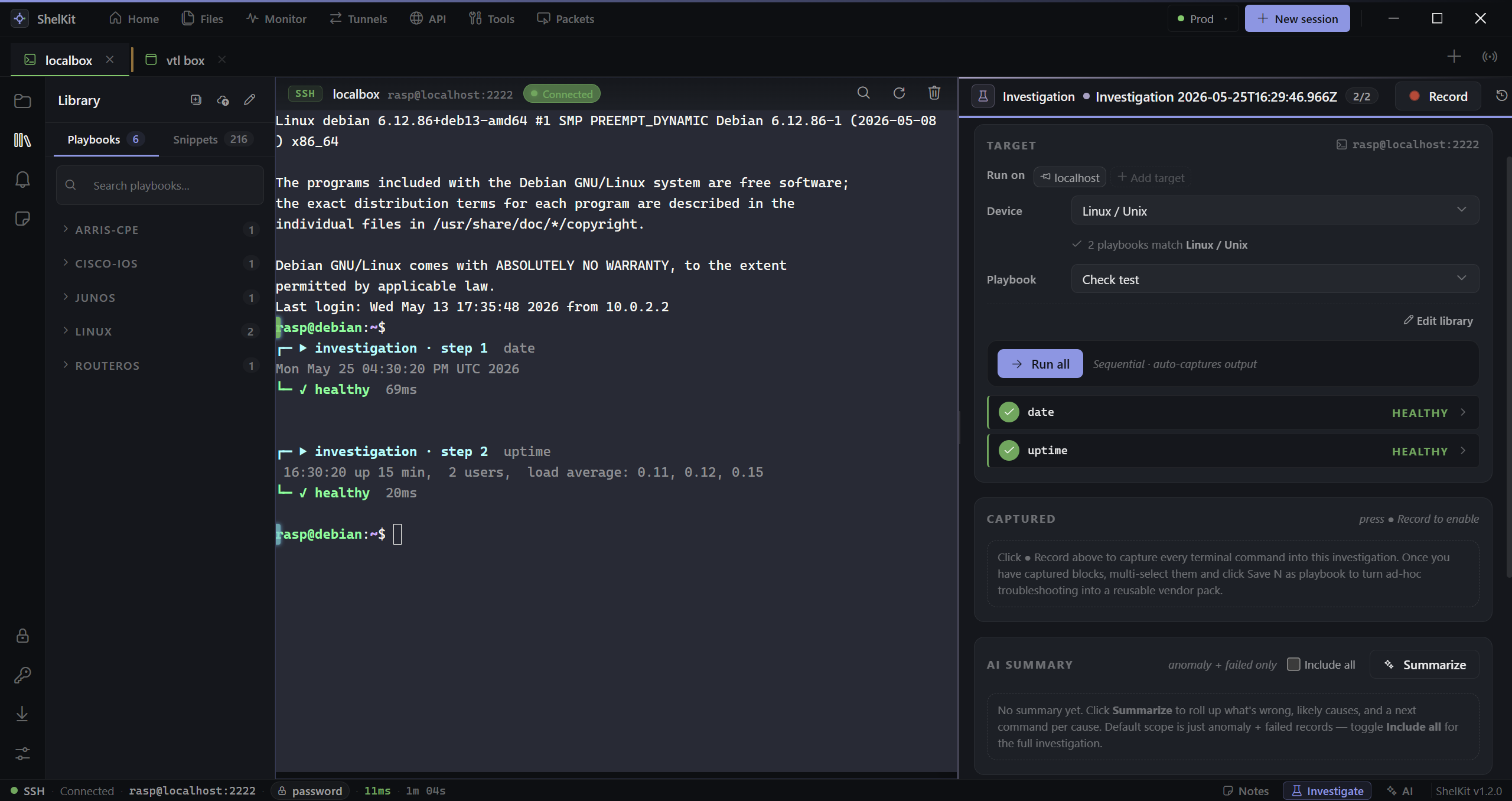
Scoped to a device type. Variables substituted at run time. Steps reorderable. Export and share with the team.
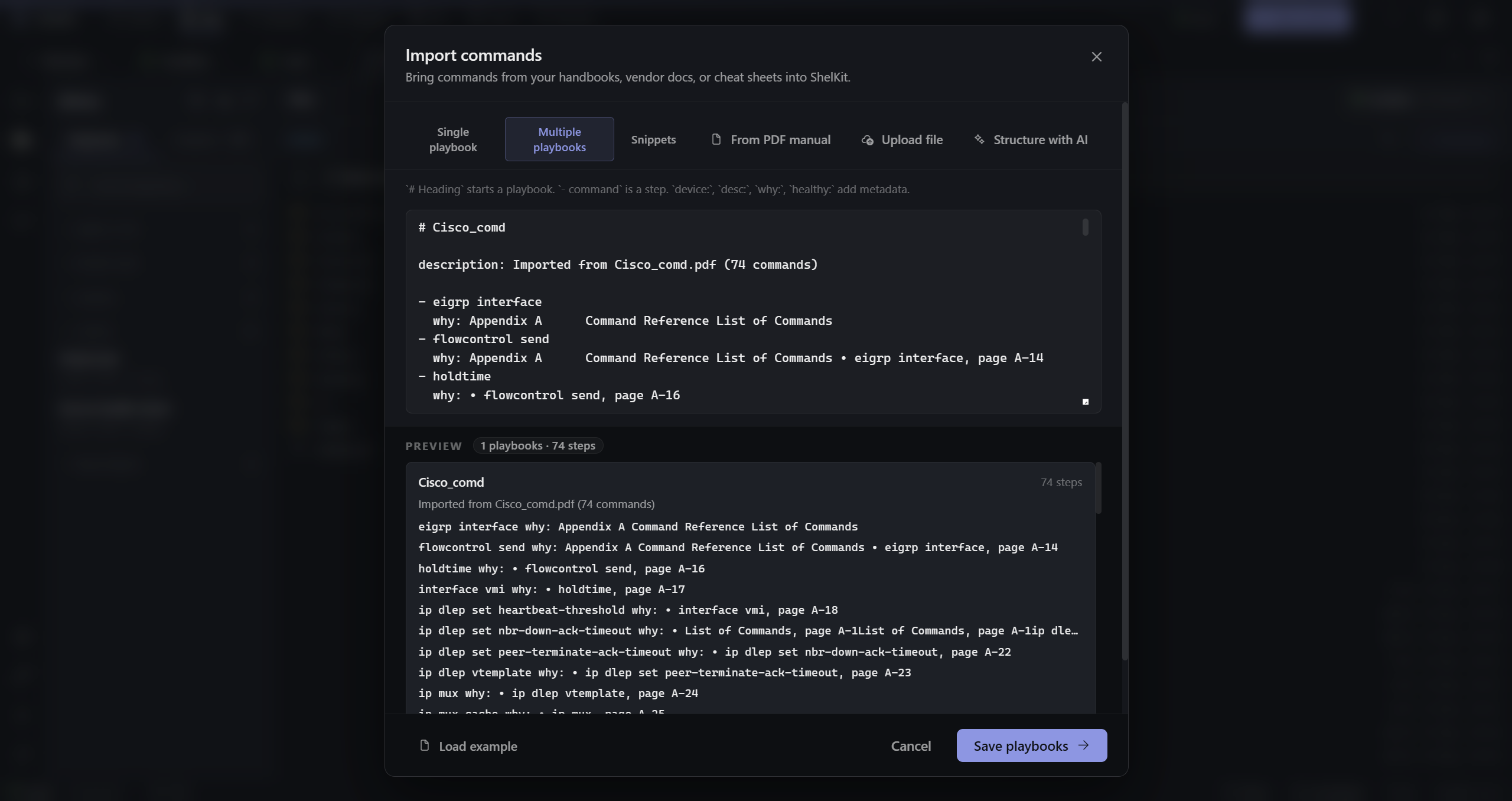
Paste a runbook, drag in a vendor manual. The importer pulls commands out via LLM-backed structuring, you confirm, it’s a playbook.
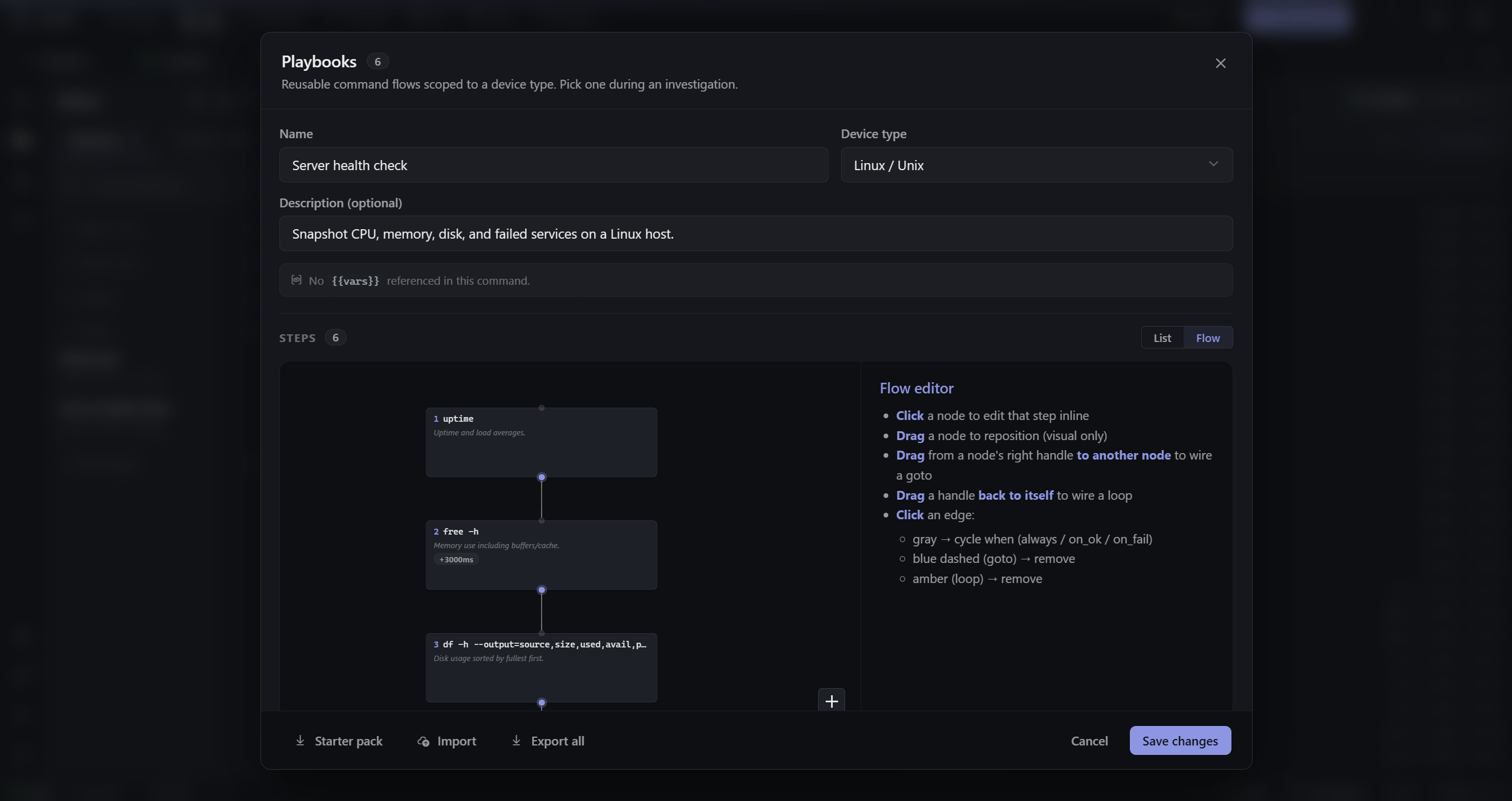
Step through one box at a time, or fan the same playbook across 50 hosts and see the drift in a single result table.
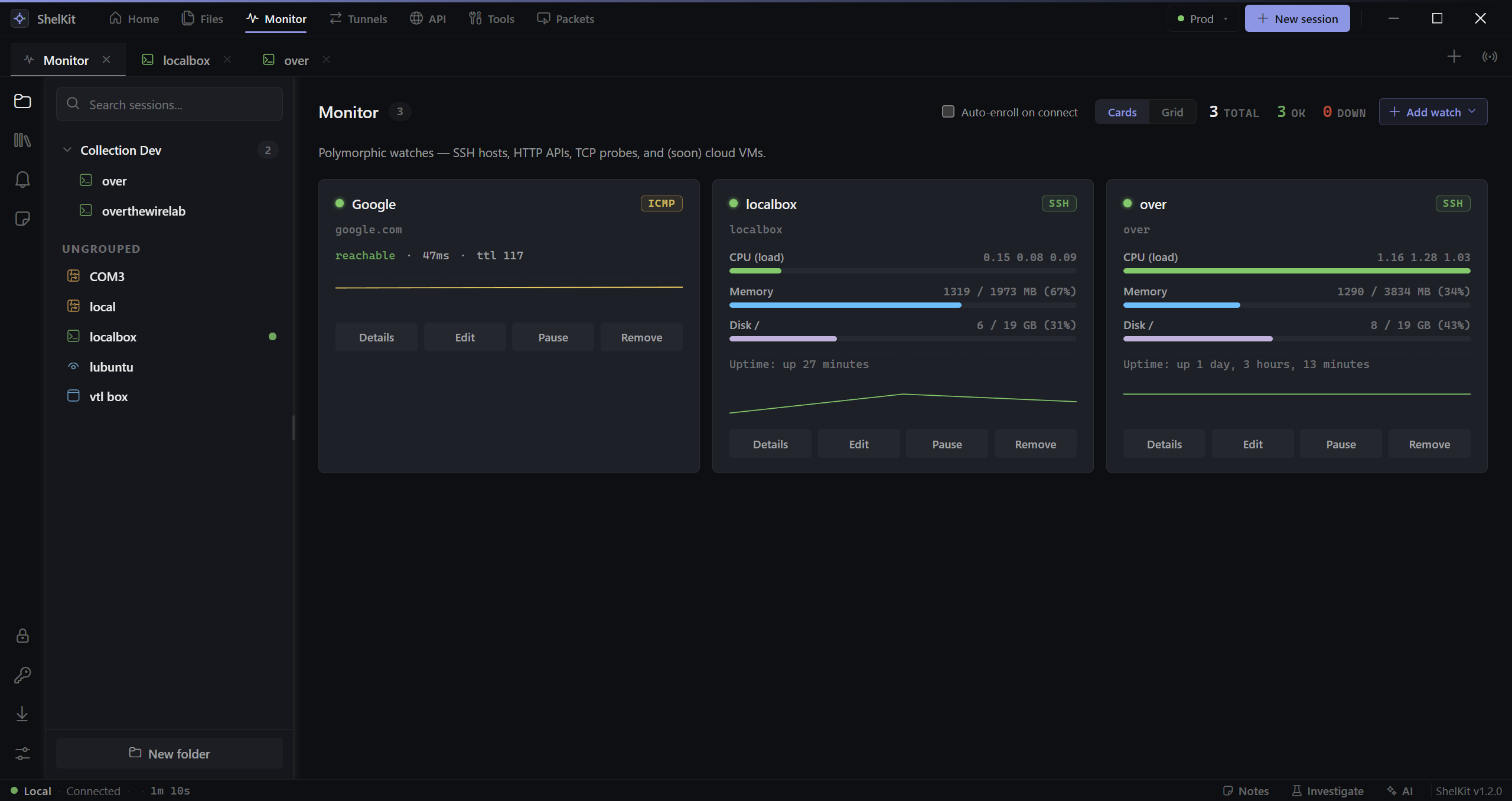
monitor
SSH stat collectors, HTTP probes, TCP reachability, ICMP pings, and running-config drift snapshots — all polymorphic under the same UI. Pause, edit, fan out by tag, alert to Slack / Teams / PagerDuty / webhook.
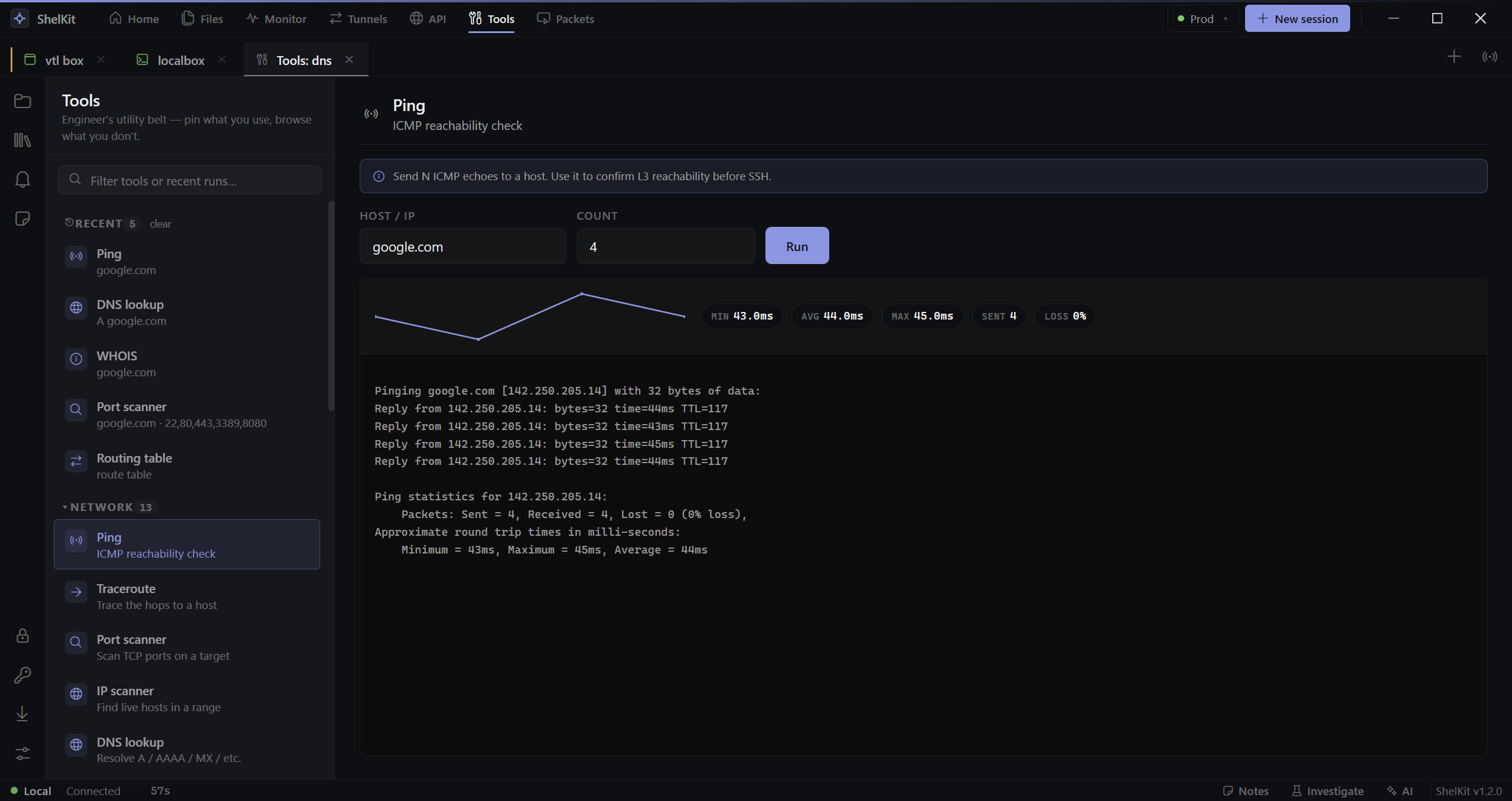
tools
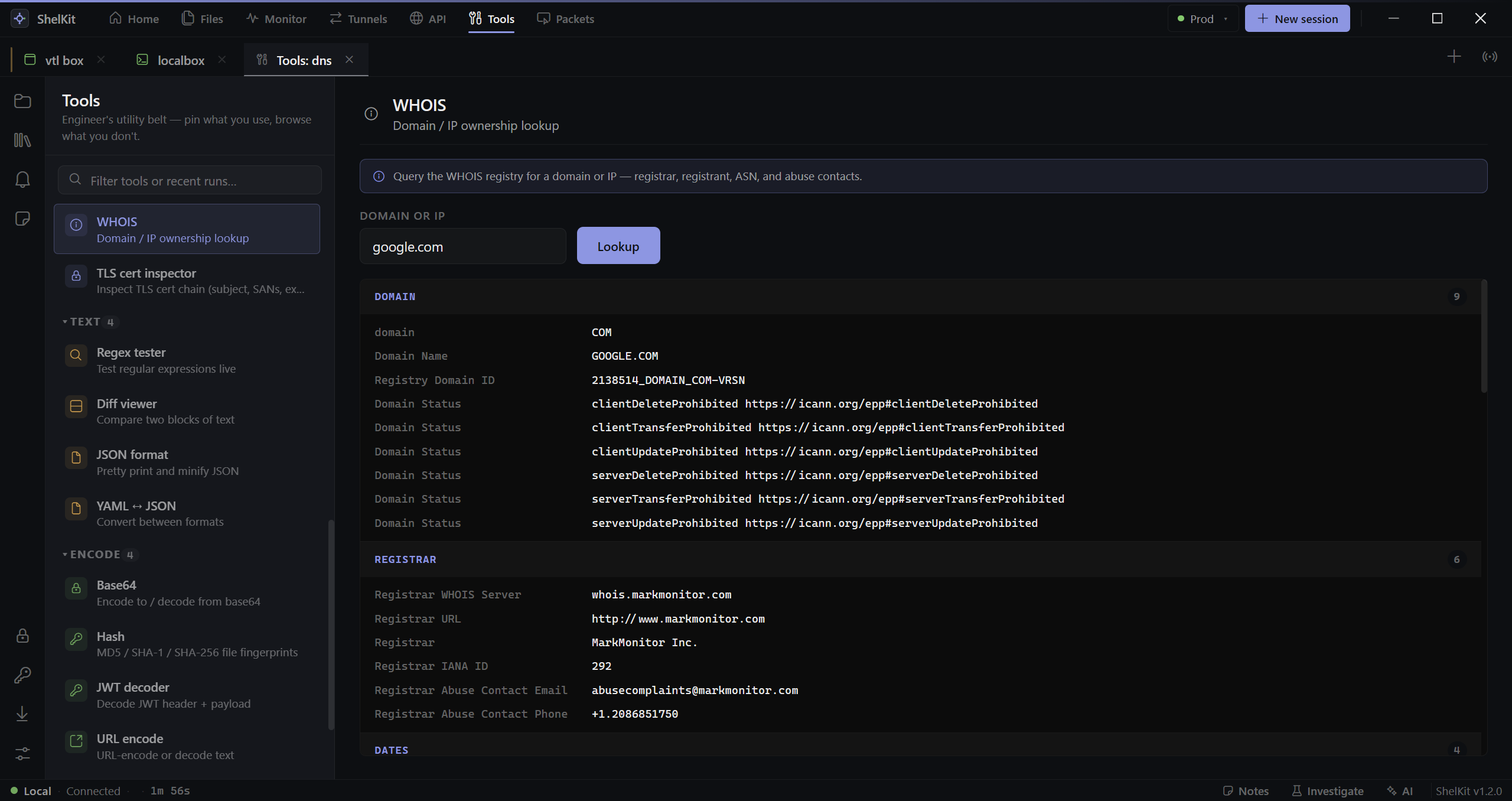
Ping, traceroute, port scanner, IP scanner, DNS lookup, WHOIS, TLS cert
inspect, TCP probe, HTTP HEAD, MAC vendor, route table. All native, all
auditable — none of them shelling out to nslookup on a laptop
where InfoSec already stripped it.
more inside
Not every feature needs a hero shot. Here are the ones that quietly carry the day-to-day.
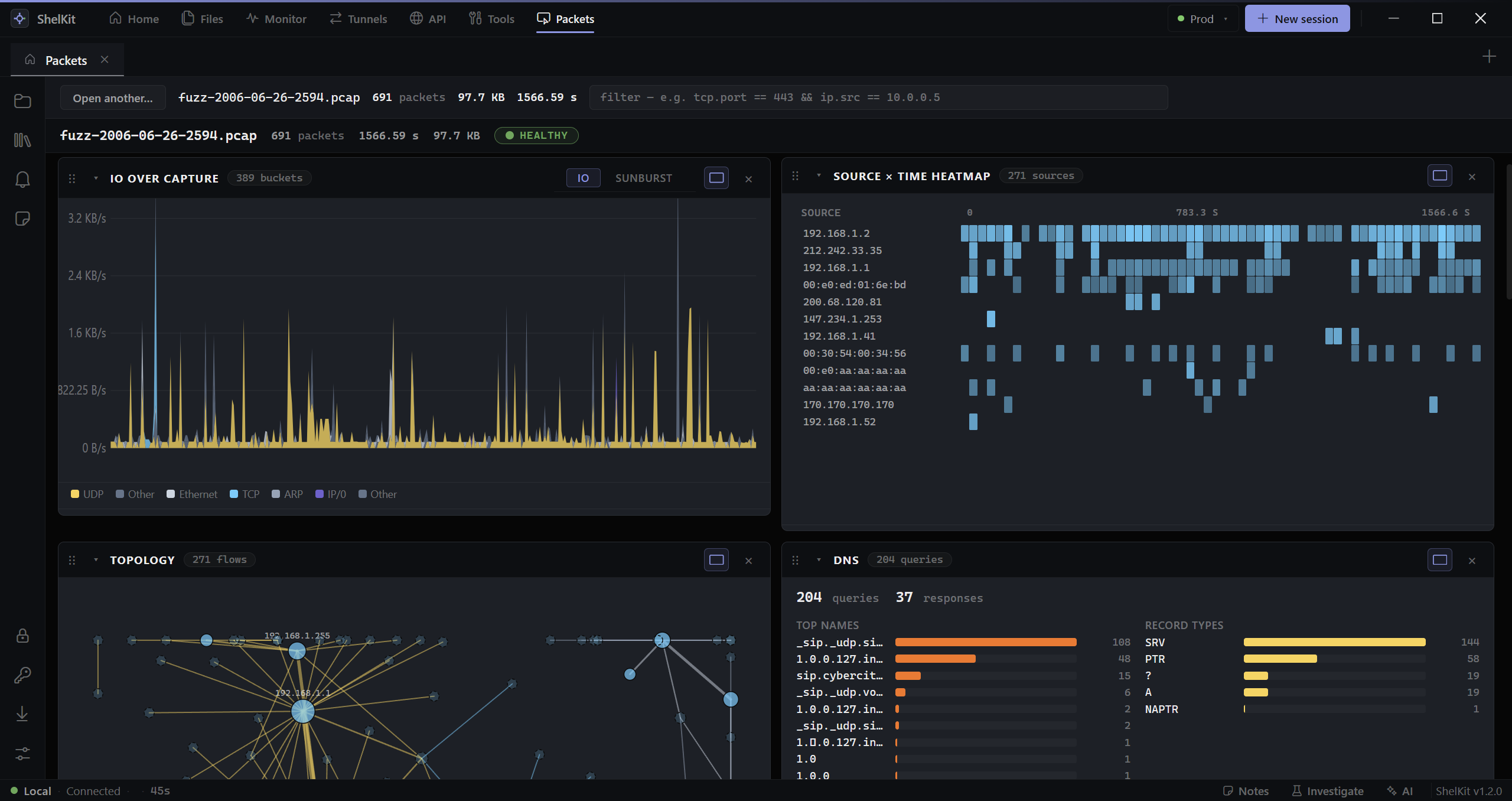
Open a .pcap or .pcapng and get IO charts, top talkers, protocol mix, TCP-stream follow, and DNS analytics in one view. No Wireshark side-trip.
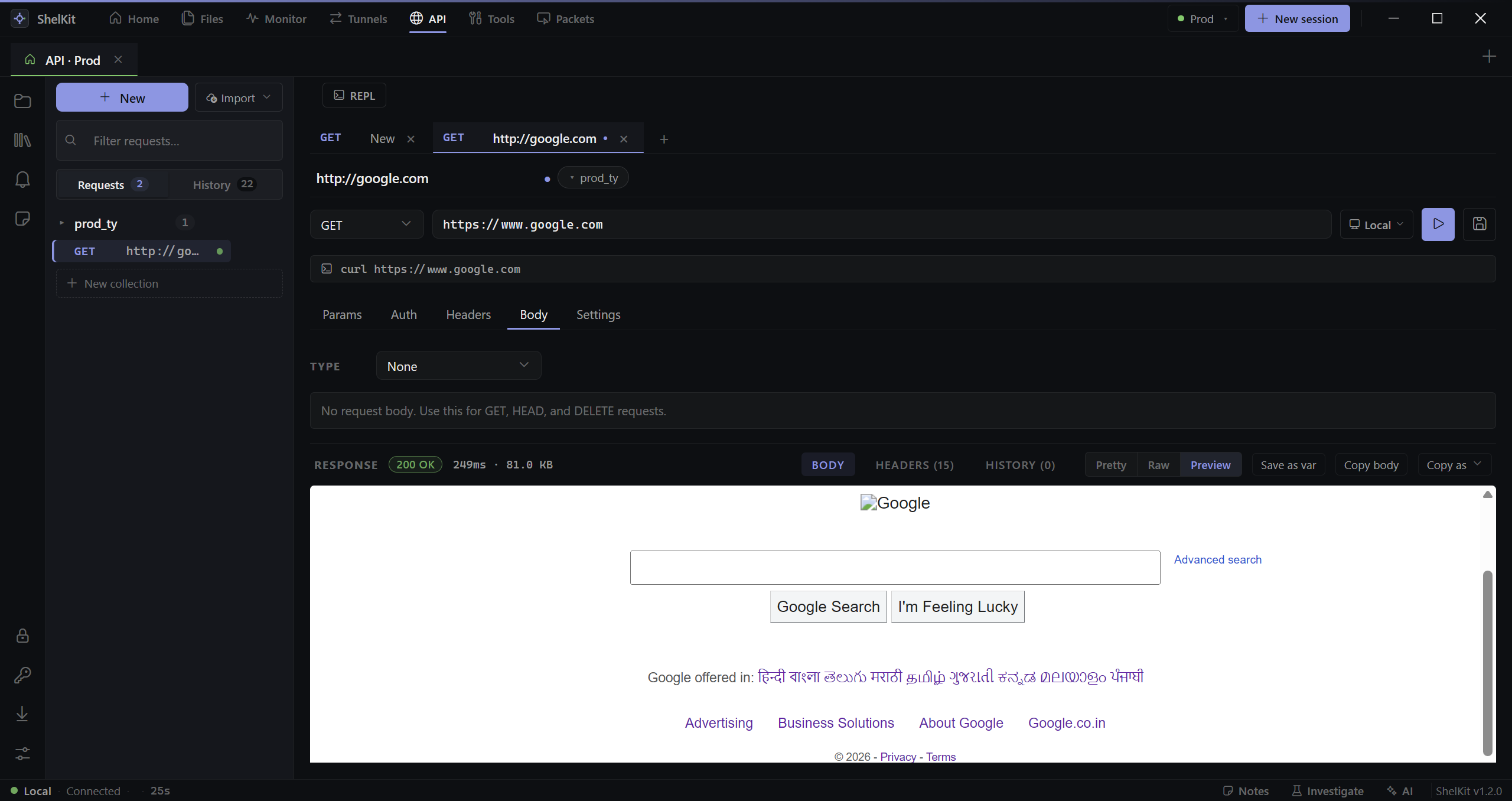
Postman-style request runner with collections, history, env-var substitution, and one-click curl export. Routable through your SSH tunnels.
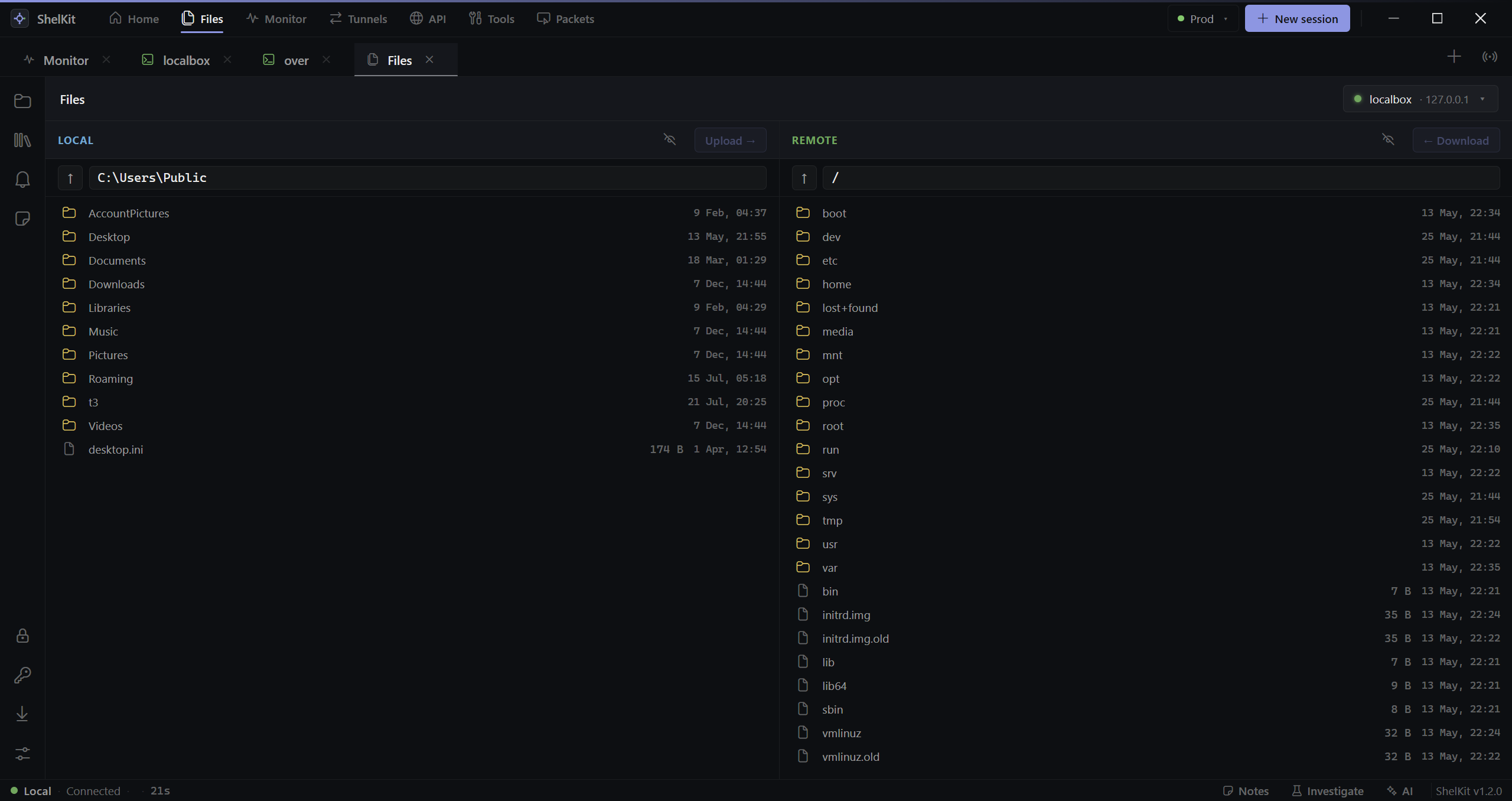
A real two-pane file manager — drag, drop, retry, queue. Edit a remote file locally and the change syncs back on save.
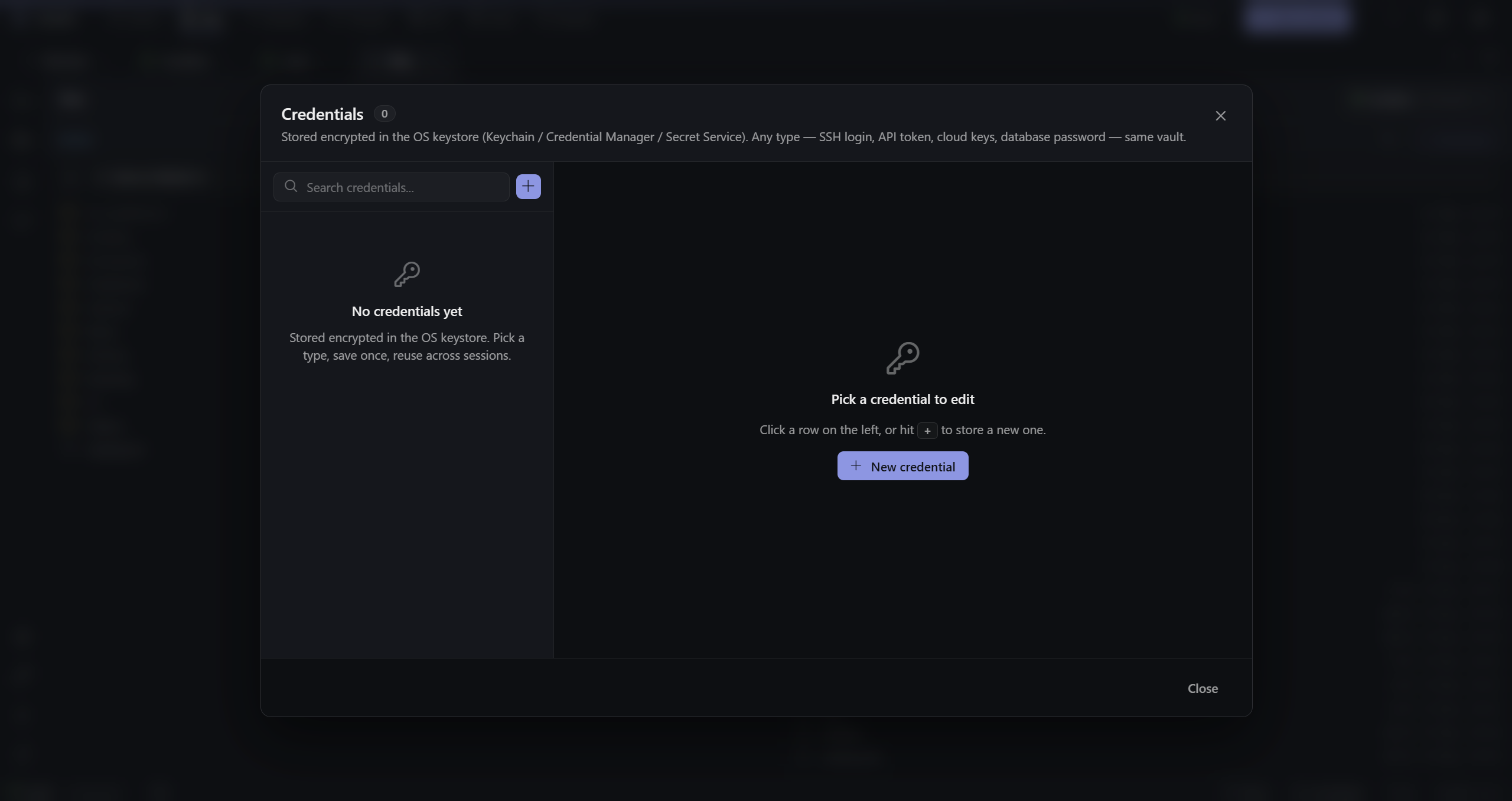
Passwords, SSH keys, agent forwarding — AES-256-GCM encrypted at rest with a local machine key. OS-keystore-bound keys shipping next.
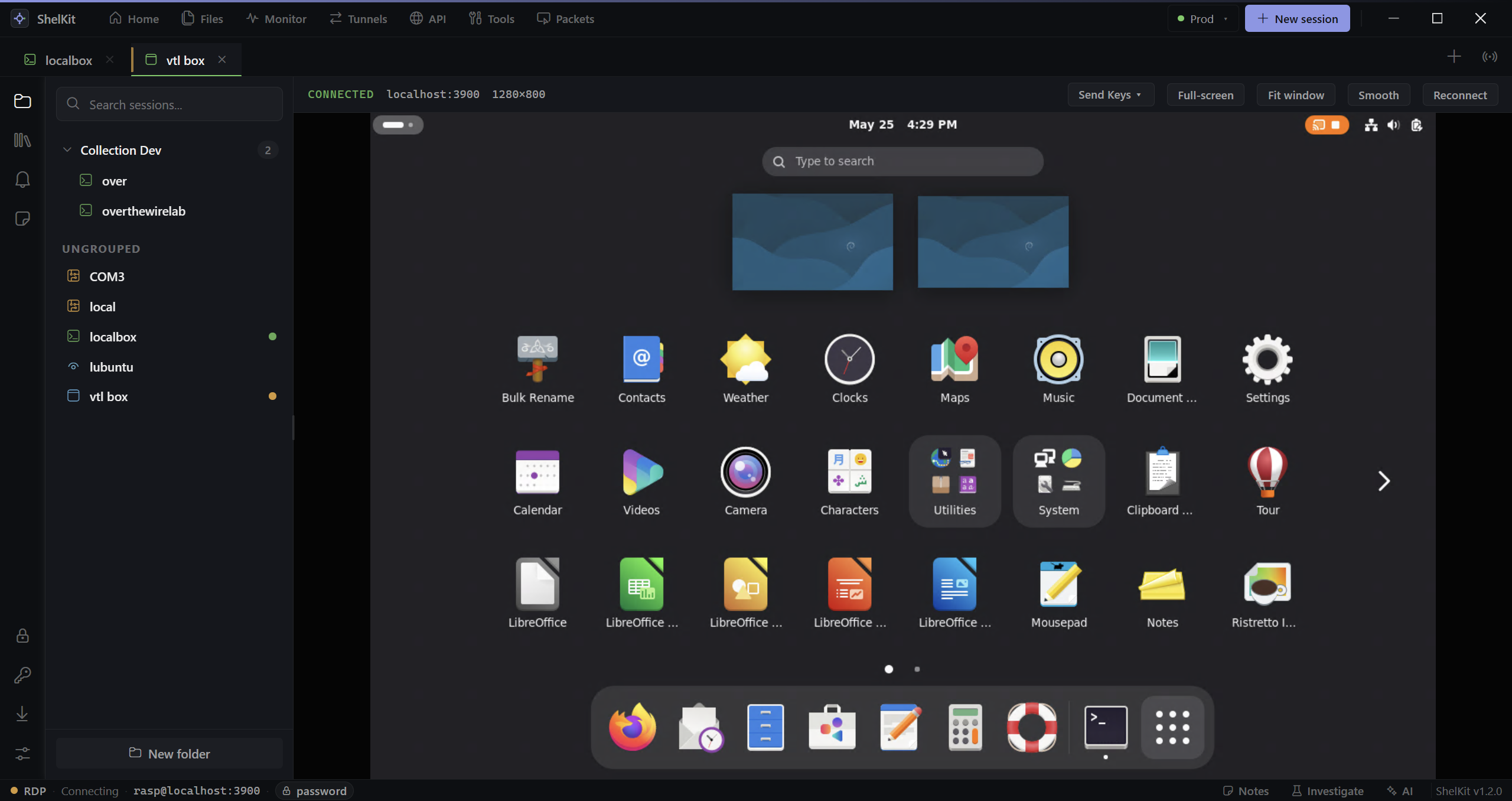
IronRDP-backed embed with bitmap + AVC streaming. Sits in the tab bar with your SSH boxes. Clipboard syncs. No external mstsc window to lose.
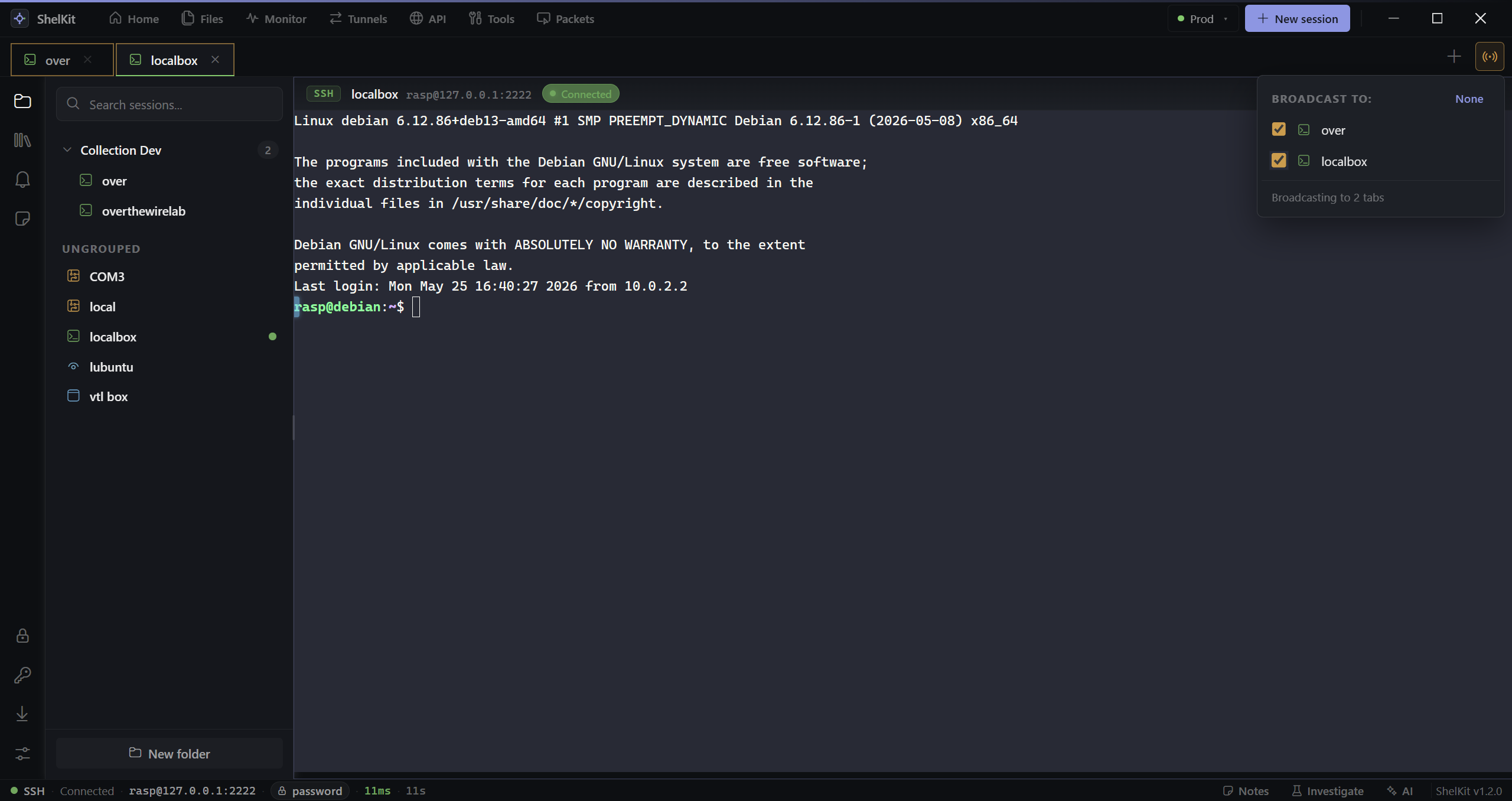
Type once, send to every selected tab. Parallel or sequential. Capped at 50 to keep you from accidentally rebooting a region.
built to be approved
A CycloneDX 1.5 SBOM ships with every release, and the auto-update manifest is Ed25519-signed. Authenticode (Windows) and Developer ID + notarization (macOS) code-signing are in progress.
Every connect, command, credential access, AI tool call, config change. Tamper-evident SHA-256 chain. Exportable.
Credentials are AES-256-GCM encrypted at rest with a local machine key (0600). No plaintext credentials on disk. OS-keystore-bound keys are on the roadmap.
Drop a policy.json via Intune / Jamf / GPO to lock settings, restrict protocols, force SSO, gate the auto-updater.
Real-time audit fan-out to Splunk HEC, Microsoft Sentinel, syslog (UDP / TCP / TLS), or ArcSight CEF — retry & backoff included.
Ed25519 signature on the manifest and the bundle. User-controlled. IT can force or disable via policy.
vs. the incumbents
The tools network engineers use today, lined up against the checks an enterprise InfoSec or procurement team makes.
| ShelKit | MobaXterm | SecureCRT | Termius | PuTTY + scripts | |
|---|---|---|---|---|---|
| Local-only (no SaaS by default) | ✓ | ✓ | ✓ | cloud-first | ✓ |
| Multi-protocol in one window | SSH · Telnet · Serial · SFTP · RDP · VNC · Local | most | SSH · Telnet · Serial | SSH-centric | SSH only |
| Vendor-aware AI with consent cards | ✓ read · run · parse · fleet | — | — | chat only | — |
| Hash-chained audit log | ✓ tamper-evident | log file | log file | cloud-side | — |
| Managed policy / MDM hooks | Intune · Jamf · GPO | limited | ✓ | limited | — |
| Approved by enterprise InfoSec | designed for it | often blocked | commonly approved | egress blocked | case-by-case |
| Price (per seat) | free during early access | Pro $69 / yr | $149 + maint. | $12 / mo | free |
FAQ
download
A Windows .msi installer, or a self-contained
portable build for controlled and offline
environments. Every release ships a CycloneDX SBOM and an
Ed25519-signed update manifest, and honors managed policy either way.
Authenticode code-signing is in progress. macOS is next.
Prefer to verify first? Browse all releases, checksums, and SBOMs on GitHub. Code-signing is in progress, so Windows may show a SmartScreen “unknown publisher” prompt for now — the portable build avoids it. ShelKit is closed-source; free during early access.
contact
Found a bug, want a feature, or evaluating ShelKit for your team? Reach out — replies within a business day.